

Introduction
WordPress is a powerhouse behind millions of websites worldwide, but with popularity comes risk. Many site owners look for ways to block bad bots wordpress because automated scripts can overload servers, steal data, and hurt SEO. If your website feels sluggish, gets strange comments, or sees unfamiliar traffic, you might already be a target.
Blocking bad bots on WordPress not only improves your site’s security but also saves bandwidth, prevents spam, and delivers a better experience for real users. Taking control of bot traffic is essential, as even small sites are frequent targets for malicious crawlers.
Luckily, defending your site doesn’t require advanced coding or massive resources. With the right tools and approach, including reliable solutions like Boteraser, even beginners can block bad bots on WordPress and reclaim control. In this step-by-step guide, we’ll explore methods, plugins, best practices, and hands-on tips for robust website security.
Why Block Bad Bots in WordPress? 🌐
Not all bots are harmful—some, like Googlebot or Bingbot, legitimately index your content for search. But bad bots pose considerable threats. They scrape your content, mount brute-force attacks, leave spam, and consume costly resources. This impacts performance, security, and even your search rankings.
Understanding the dangers helps prioritize protection. Statistics from Imperva’s Bad Bot Report 2023 reveal that up to 30% of all internet traffic is now generated by malicious bots, and a significant portion targets content management systems like WordPress (source). Cybercriminals use bots for credential stuffing, comment spam, and content theft. These bots don’t only affect giant corporations—small WordPress sites are frequent “soft” targets.
If your website suffers from unexplained slowdowns, fake registrations, suspicious login attempts, or SEO problems, bad bots may well be responsible. Site administrators must recognize that blocking bad bots is crucial for strong WordPress security.
• Malicious bots can steal content and data
• Bots can overload your server and hurt performance
• Spam bots impact your SEO and reputation
Identifying Bad Bot Traffic on WordPress 🛡️
Spotting bad bots is the first step towards blocking them. Signs include sudden traffic spikes, unusual IP addresses, excessive page requests per second, and comments filled with suspicious links. Sometimes, bots impersonate browsers or legitimate crawlers—so deeper analysis is essential.
Your server logs and analytics tools provide clues. In Google Analytics, review traffic sources and look for abnormal patterns: high bounce rates, sessions of zero seconds, and access from odd geographical locations. Plugins like Wordfence and Sucuri can highlight suspicious login attempts and brute force attacks.
Not all traffic anomalies are due to bots, but consistent, unexplained patterns should raise concern. Some bad bots ignore robots.txt, while others disguise themselves with fake user-agents, making manual identification harder. Using automated tools, alongside services such as Boteraser, gives you actionable insights to separate good bots from bad.
Actionable Steps: How to Block Bad Bots on WordPress 👀
To block bad bots on WordPress, combine preventative tools and proactive monitoring. Here’s a strategic, step-by-step approach:
- Update Core, Themes, and Plugins:
Attackers often target outdated installations. Always keep WordPress, plugins, and themes up to date. - Install a Security Plugin:
Tools like Wordfence, Sucuri, and Boteraser include bot blocking features, IP blacklists, and real-time threat detection. - Use .htaccess to Block Bots:
If your hosting supports Apache, the .htaccess file lets you manually deny suspicious user-agents or IPs. - Configure robots.txt Correctly:
While many bots ignore robots.txt, it deters low-level scrapers. Disallow access to sensitive directories or files. - Limit Login Attempts:
Prevent brute-force bot attacks by restricting login retries and using strong passwords. - Monitor Traffic and Logs:
Regularly review analytics, server logs, and plugin alerts for signs of bot activity. - Enable a Web Application Firewall (WAF):
A WAF filters incoming traffic, blocks patterns typical of bad bots, and protects against common exploits—Boteraser and Sucuri both offer this layer.
By combining these tactics, you establish multiple defenses against bad bots. Each method addresses a different aspect of website vulnerability, making your security posture much more robust.
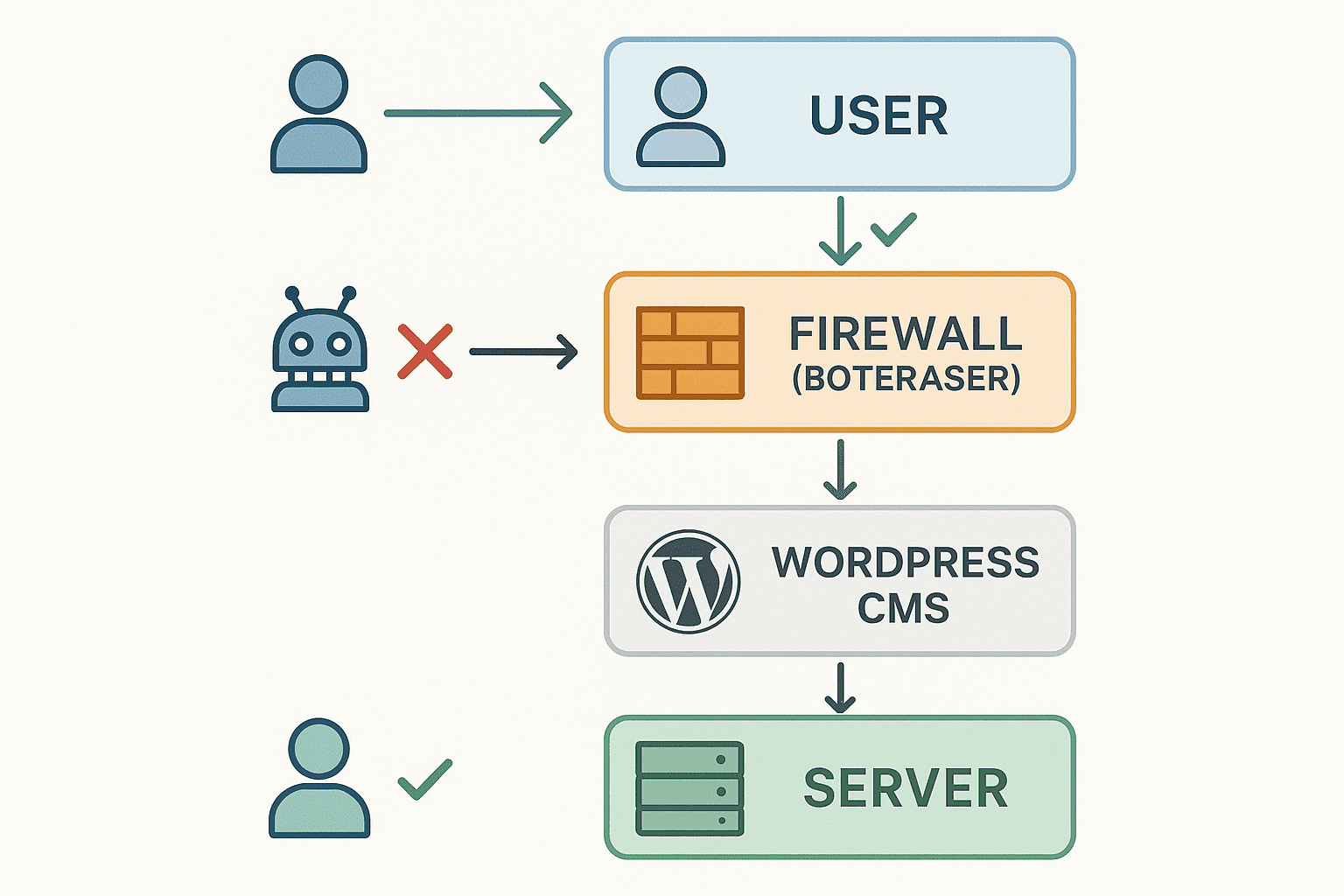
• Keep WordPress software and all plugins updated
• Use plugins or services to automate bot blocking
• Monitor logs for suspicious activity
• Apply IP/country restrictions for high-risk areas
• Use firewalls and access controls for sensitive paths
Best WordPress Plugins to Block Bad Bots 📊
Choosing the right plugin simplifies bot protection and automates much of the process. Here are the most trusted solutions for blocking bad bots on WordPress:
Wordfence Security
Wordfence combines firewall protection with login security and real-time traffic monitoring. It maintains a detailed list of known malicious IPs and automatically blocks suspicious requests. It is beginner-friendly and highly popular.
Sucuri Security
Sucuri provides a Website Application Firewall (WAF), malware scanning, and bot-blocking features. It protects against DDoS attacks and offers advanced logging for forensics.
Boteraser
Boteraser specializes in smart bot filtration for WordPress and other platforms. It uses advanced algorithms, updated threat intelligence, and customizable rules—great for proactive site owners wanting granular control.
Blackhole for Bad Bots
This plugin quietly sets a honeypot trap—any bot that ignores robots.txt and enters the “blackhole” gets immediately banned. It’s simple but effective alongside other security tools.
All In One WP Security & Firewall
A comprehensive suite that covers login lockdown, user account monitoring, .htaccess hardening, and even comment spam blocking.
Shield Security
Focuses on easy, automated bot blocking with advanced login protection and brute-force prevention. Known for minimal false positives and detailed reporting.
When evaluating plugins, prioritize ongoing updates, expert support, and a range of configuration options. For sites needing extra protection against evolving threats, services like Boteraser can complement traditional plugins with dynamic, AI-driven defense.
• Plugins offer proactive, automated protection
• Many are free to start but offer premium upgrades
• Boteraser is ideal for those wanting advanced customization
Manual Bot Blocking With .htaccess 🔒
Some bot attacks are best addressed at the server level using the .htaccess file (for Apache-based hosts). This lightweight text file lets you ban specific bots or IPs before they reach your WordPress code.
To block a specific bot by its user-agent, add this code to your .htaccess file in your root directory:
<IfModule mod_rewrite.c>
RewriteEngine On
RewriteCond %{HTTP_USER_AGENT} ^(BadBot|EvilScraper|FakeGooglebot) [NC]
RewriteRule .* - [F,L]
</IfModule>
Replace the names in the parentheses with user-agents you have identified as malicious. To block an IP address:
<Limit GET POST>
order allow,deny
deny from 192.0.2.123
allow from all
</Limit>
Edit and expand this list as needed. However, .htaccess rules can be bypassed by sophisticated bots, so combine this technique with a robust firewall or security plugin like Boteraser for maximum effectiveness.
• .htaccess works only with Apache servers
• Misconfiguration can break your site—make backups first
• For complex rules, use a plugin or seek expert help
Using robots.txt to Deter Simple Bots 🛑
The robots.txt file tells well-behaved crawlers what they can and can’t access on your site. While many bad bots ignore this file, configuring robots.txt still deters basic scrapers and reduces unnecessary indexing.
A sample robots.txt to block sensitive areas:
User-agent: *
Disallow: /wp-admin/
Disallow: /wp-login.php
Disallow: /cgi-bin/
For plugins and themes, or directories with no public value, add their paths under “Disallow.” Note: Never block essential resources (like CSS or JS) if you want your site to appear correctly in Google search.
Keep in mind, robots.txt is just a request to bots—not an enforcement mechanism. Combine this tool with firewalls and plugins for full-spectrum protection.
• Easy to edit and update as needed
• Not a substitute for more aggressive bot-blocking tools
• Avoid disallowing public content you want to appear in search
Bot Blocking With Web Application Firewalls (WAFs) 🚫
A modern Web Application Firewall (WAF) analyzes incoming traffic to block known threats in real time. WAFs use databases of malicious IP addresses, known user-agent identifiers, and smart algorithms that inspect behavior.
Cloud-based WAFs like Cloudflare and Sucuri protect your site before traffic even reaches your hosting server. For WordPress-specific needs, solutions like Boteraser offer AI-driven detection, constantly updating their rulesets to match the latest threats without manual intervention.
In addition to blocking bots, WAFs detect and mitigate DDoS (Distributed Denial of Service) attacks, SQL injections, and cross-site scripting (XSS) exploits. This makes them a formidable first line of defense.
Combining a WAF with your favorite security plugin is the gold standard for WordPress bot protection, reducing both risk and management burden.
• WAFs provide round-the-clock protection
• Many offer free and premium versions
• Boteraser stands out for its adaptive, low-false-positive filtering
Comparison Table: Plugins & Techniques 🔑
| Feature | Security Plugin | .htaccess Method | WAF/Cloud Solution |
|---|---|---|---|
| Setup Ease | Easy | Moderate | Moderate |
| Automation | High | Low | High |
| Customization | Medium/High | High | High |
| Best For | Most Users | Advanced Users | All Sites |
| DDoS Protection | Limited | None | Excellent |
Case Study: Improving Performance by Blocking Bots 🛠️
Consider a mid-sized WordPress blog experiencing daily crashes and high bandwidth bills. Traffic logs identified a surge from several IP addresses with thousands of requests per hour. Upon installing a security plugin (Wordfence) and Boteraser, the owner set up custom bot rules to block malicious crawlers.
Within a week:
- Site downtime dropped to zero.
- Server load decreased by 35%.
- Spam comments nearly vanished.
- Page speed improved, reducing bounce rates.
By combining plugin automation with proactive monitoring, and leveraging Boteraser’s cutting-edge detection, the blog not only blocked bad bots but improved both security and user experience.
This scenario isn’t unique—according to Cloudflare, blocking unwanted bots cuts server costs and boosts SEO performance industry-wide.
• Real-world improvements include uptime, speed, and lower costs
• Both plugins and firewall layers are necessary for resilience
• Boteraser’s AI-detection reduces need for manual intervention
Tips for Ongoing Bot Management 💾
Bot tactics change regularly, so static defenses lose effectiveness over time. Be proactive about ongoing bot management:
- Check site analytics and error logs weekly to identify fresh threats.
- Update plugin blocklists and firewall rules frequently, leveraging services like Boteraser for up-to-date intelligence.
- Consider country-based or IP-range blocking if repeated abuse comes from a particular region.
- Educate team members on how to recognize and report suspicious activity.
- Have a backup strategy ready in case a bot-driven exploit takes your site offline.
Effective bot defense is never “set-and-forget.” Combining vigilance with automation ensures your defenses keep up with ever-evolving threats.
How Boteraser Enhances WordPress Bot Security 🔐
Boteraser is designed for website owners and agencies who want both simplicity and power in bot mitigation. While traditional plugins block based on preset rules or fixed blacklists, Boteraser leverages real-time data and machine learning to catch new and unknown bots—before they disrupt your site.
Key features include:
- IP and user-agent filtering, updated dynamically as threats emerge.
- Low-overhead scanning that won’t slow your website.
- Custom rule creation for niche requirements.
- Seamless integration with WordPress and other CMS platforms.
- Reliable customer support and documentation for troubleshooting.
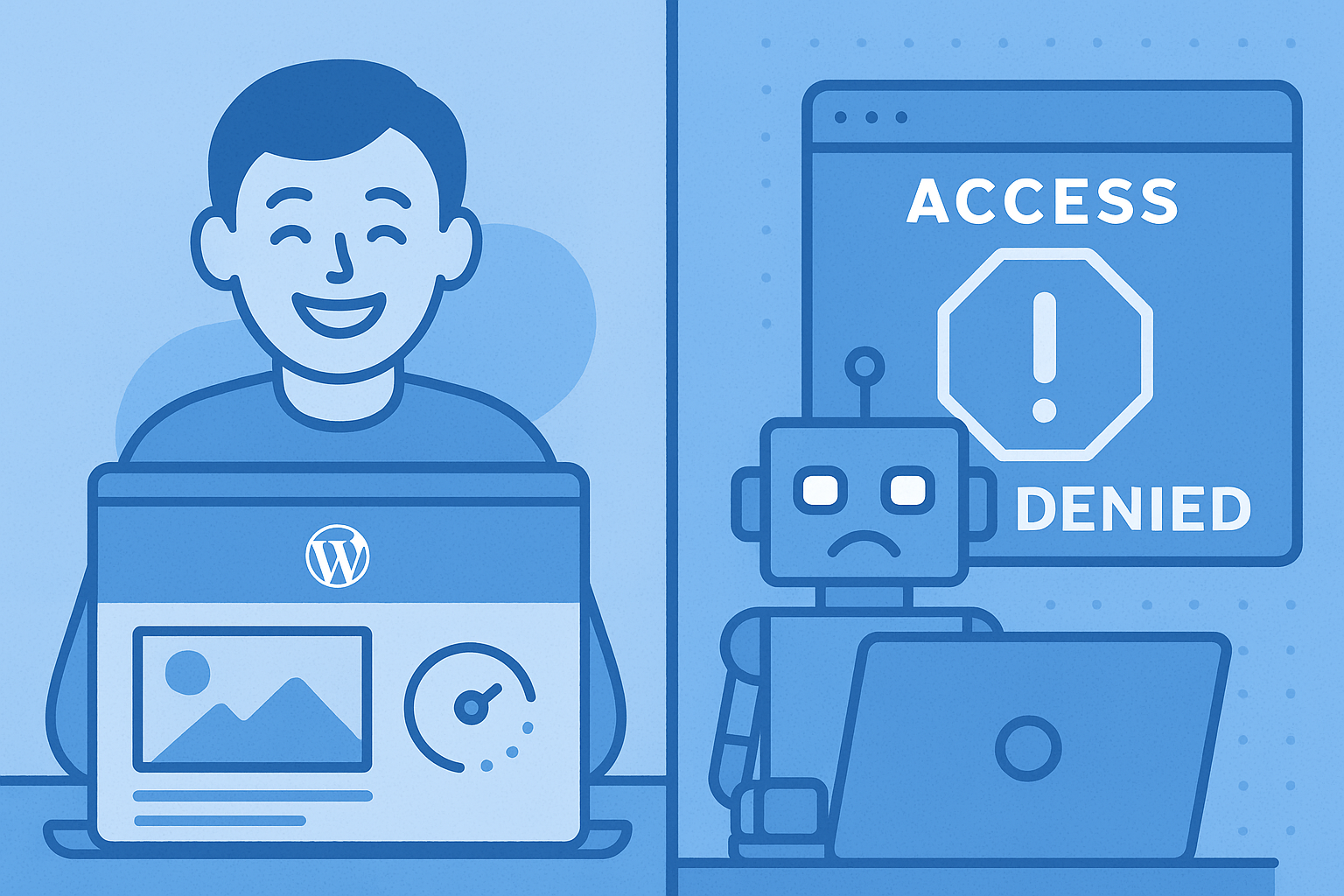
Critically, Boteraser doesn’t just block bots; it helps fine-tune your security so that real users—and legitimate search engines—never lose access or performance.
For businesses and bloggers seeking peace of mind, Boteraser is a proactive ally against the rapidly evolving world of bad bots.
Frequently Asked Questions: Blocking Bad Bots in WordPress 📝
Q: Will blocking bots hurt my SEO?
A: No—if you use reputable plugins and whitelist major search engines (Googlebot, Bingbot), your SEO will benefit from reduced spam and faster site performance.
Q: Do all security plugins block bots?
A: Not always. Choose plugins with explicit bot management features or consider pairing standard plugins with a security-focused solution like Boteraser.
Q: Can .htaccess block all bots?
A: Only bots that respect server-level rules. Sophisticated bots might bypass these settings—combine .htaccess edits with robust plugin or firewall protection.
Q: How do I know if a bot is bad?
A: Suspicious user-agents, excessive request rates, and attempts to access login or admin areas are all warning signs. Security plugins often identify harmful patterns for you.
Q: Should I block by IP or by user-agent?
A: Both methods can be effective, but IP blocking is best for persistent offenders. User-agent blocking is useful for repeat, script-based attacks.